10 Icebreaker Ideas for Team Building & Corporate Events Using a Live Drawing Wall
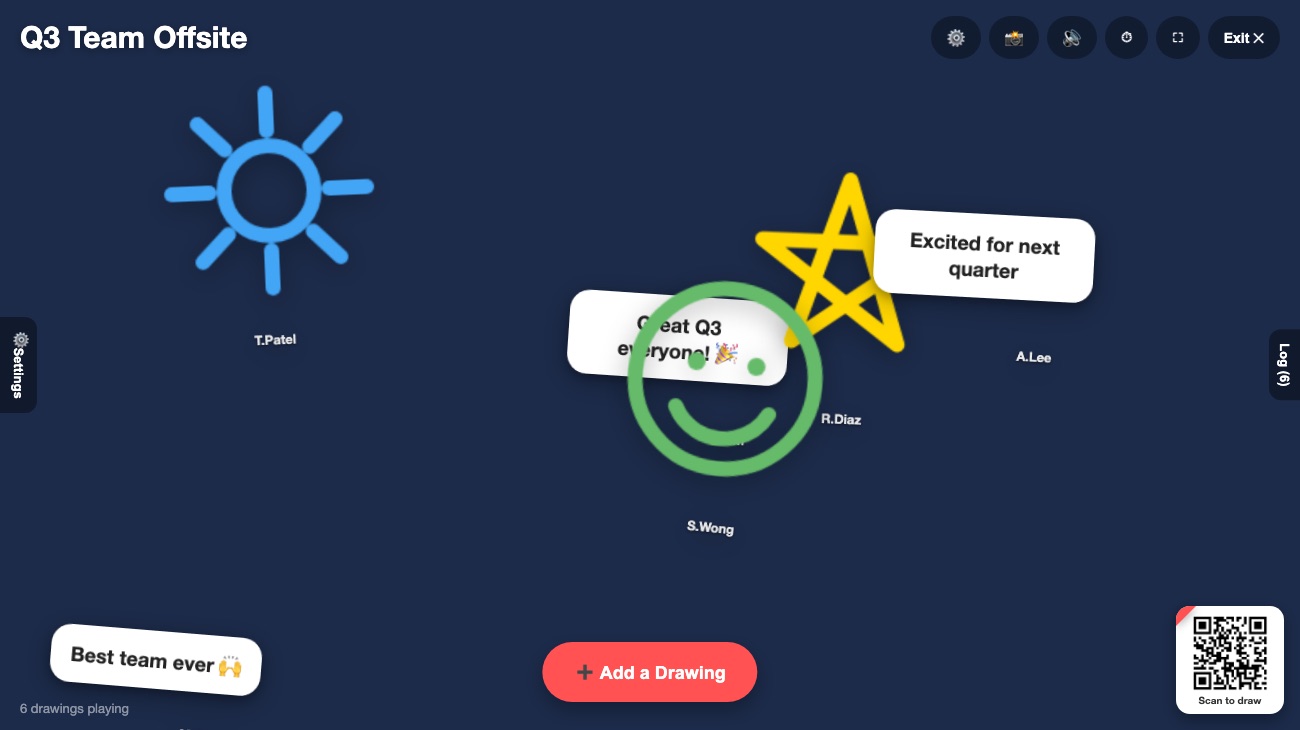
Most workplace icebreakers ask people to talk in front of the group — which is exactly why so many of them fall flat. A live drawing wall works differently: everyone participates from their own phone at the same time, and the results appear together on one screen. Here are ten ways to use it at your next meeting, offsite, or company event.
Why a shared wall works better than the usual icebreaker
The classic "go around the room and share something about yourself" icebreaker has a built-in problem: only one person can talk at a time, and everyone else is waiting their turn instead of actually participating. A live drawing wall removes the waiting. Open Drawing Playground on the meeting room screen or a shared monitor, and every attendee scans a QR code from their own device — no app, no login, no software to approve through IT. Within seconds the whole room is contributing at once, and the wall becomes a natural conversation starter once everyone looks up from their screens.
10 ways to use it at work
1. Meeting warm-up: "draw your weekend"
A low-pressure way to open any meeting. Give people ninety seconds to sketch something from their weekend. It takes almost no time and instantly makes a video call or conference room feel less transactional.
2. New hire welcome wall
On someone's first day, ask the team to draw a welcome message or an inside joke about the role. It's a warmer, more memorable welcome than a group email, and takes the new hire two minutes to feel like part of the team.
3. Offsite kickoff energizer
Before the agenda starts, ask attendees to draw what they're hoping to get out of the day. It surfaces expectations for the facilitator and gets the room engaged before the first slide even goes up.
4. "One word, one drawing" project retrospective
At the end of a project, ask each person to sum it up in a single drawing. The mix of relief, humor, and pride that shows up on the wall says more than any status report.
5. Vision board brainstorm
For strategy sessions, ask "What does success look like in a year?" and let the team sketch their answers simultaneously. Because everyone contributes at once, you get a much wider spread of ideas than a single whiteboard session usually produces.
6. Conference booth engagement
At a trade show or job fair, a live wall on a monitor draws a crowd naturally. Ask passersby to draw their favorite emoji or answer a fun prompt related to your brand — it's an easy way to get people to stop at your booth.
7. All-hands town hall energizer
Before a large all-hands meeting starts, put the wall on the big screen with a prompt like "Draw how you're feeling about this quarter." It gives leadership an instant, honest pulse on the room.
8. Farewell and retirement send-offs
When a colleague is leaving, invite the team to send a drawing or a short message of appreciation. Save a snapshot of the finished wall as a parting gift — a far more personal keepsake than a card everyone signs in a rush.
9. Holiday party countdown activity
At a year-end celebration, run the wall during the mingling portion with a festive theme and a prompt like "Draw your favorite memory from this year." It gives people something to do besides stand near the snacks.
10. Cross-team connection during hybrid meetings
For meetings with both in-person and remote attendees, a shared wall levels the playing field — remote employees scan the same QR code from home and appear on the big screen right alongside everyone in the room.
💡 Keep each activity to two or three minutes. The energy is highest right after the prompt is given — don't let the wall sit open so long that people lose momentum.
Why it fits corporate settings
- No IT approval needed. Guests use their phone's browser — nothing to install, nothing for security teams to review.
- Works for any group size. A ten-person team meeting and a three-hundred-person all-hands both work the same way.
- Nothing is stored afterward. Drawings live only in memory during the session and are discarded when it ends, which keeps things simple from a data-handling standpoint. See our Privacy Policy for details.
- The host stays in control. You can pause new submissions or remove anything from the shared screen at any time.
Setting it up before your next meeting
- Open Drawing Playground on the conference room display or shared screen.
- Pick a theme that matches the tone of your event, or upload your own background.
- Share the QR code and give attendees a one-line prompt.
- Let the wall run for a few minutes, then move on with your meeting.
- Save a snapshot if you'd like a keepsake for a recap email or newsletter.